 SparkPilot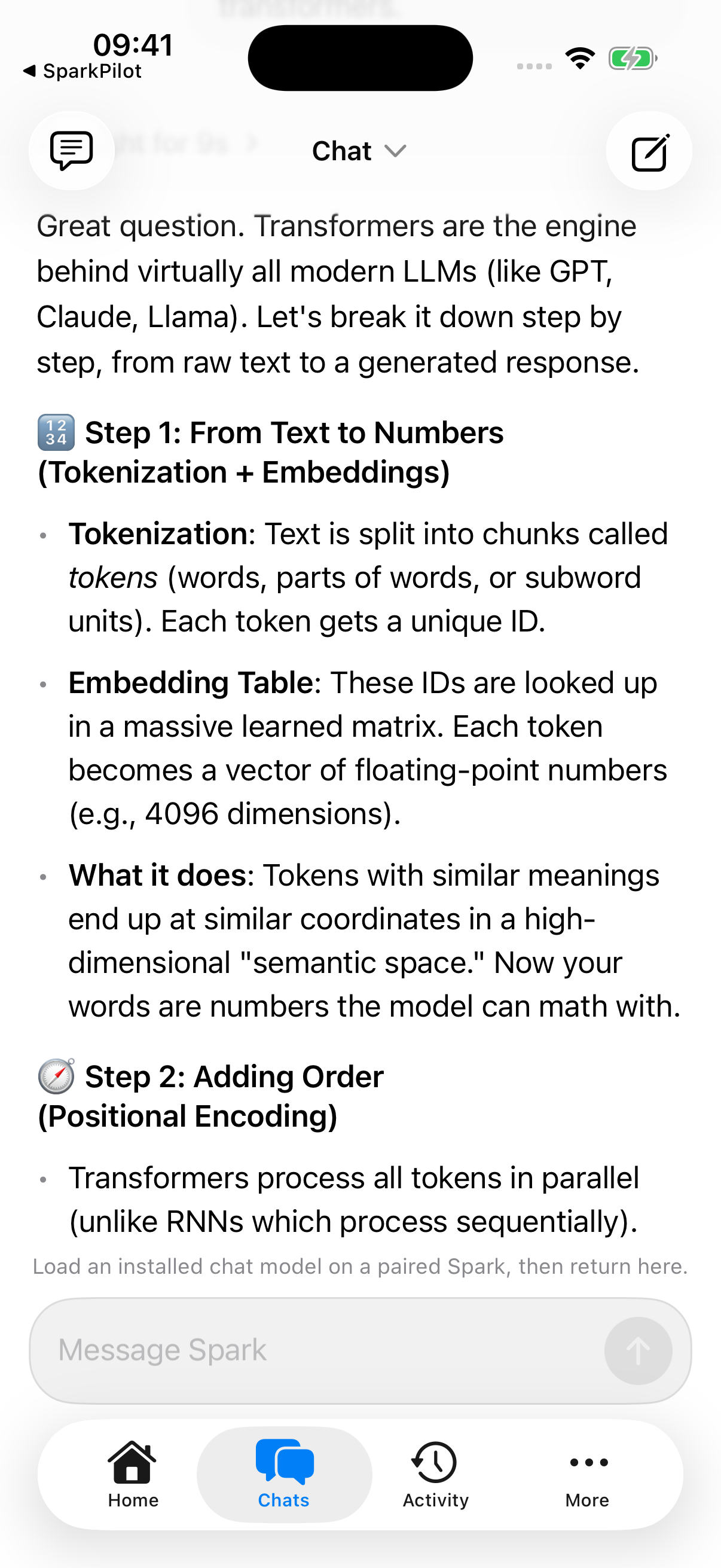
01 / 03 Your Sparks
A big picture.
A small screen.
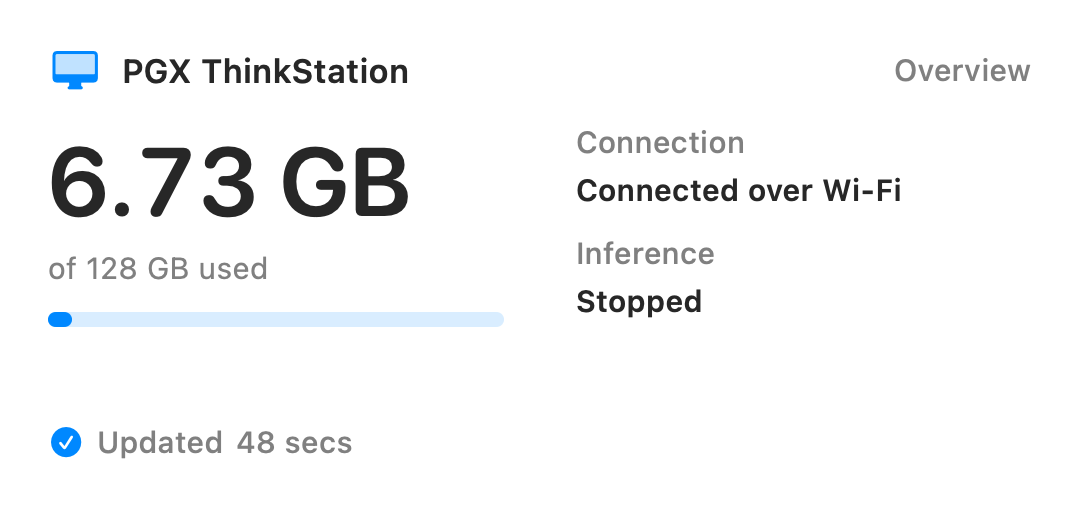
See your paired Sparks together. Check which ones are online, how much memory they're using, and what's running.
Health, memory, and models at a glanceSparkPilot puts your NVIDIA DGX Spark to work, free forever. Control it from your phone, chat with your AI, or launch Hermes Agent from your Mac. Connect tools like Oh My Pi, and draft emails or automate everyday tasks on iPhone and iPad with Siri and Shortcuts.
Join SparkPilot through TestFlight. Open the link on your Apple device and follow Apple's instructions.
Free forever No ads
Swipe sideways or use the arrows to change screens.
01 / 03 Your Sparks
See your paired Sparks together. Check which ones are online, how much memory they're using, and what's running.
Health, memory, and models at a glance02 / 03 Your models
See what's installed, load a model, or make room for the next one. Here, NVIDIA Nemotron is ready to start.
Model controls, without terminal commands03 / 03 Your conversation
Chat with a model running on your own hardware, then come back to earlier conversations whenever you need them.
See which Sparks are online and what's installed on them. The numbers here were captured with the screenshot, so they won't update.
An interactive tour made from real simulator screenshots. No hardware is connected and no model is running.
Put it to work
Pick a task and walk through it, from the first choice to what happens next.
Set it up on iPhone, iPad or Mac
Give your Spark a recurring task. It runs on the Spark, even when your phone is asleep or away.
Write the instructions, choose a model and set a daily, weekly or custom schedule.
A task for your Spark
07:30Every weekday
One astronomy discovery, explained over breakfast.
New development feature. The Spark must be on, reachable by its required services and able to run the chosen model; notifications depend on device connectivity and Apple background scheduling.
Speak on iPhone, iPad or Mac
Speak on your Apple device. Your Spark generates the answer and its spoken reply.
On-device speech recognition turns your words into a message, with microphone and speech permissions you choose.
Requires supported on-device English recognition, a compatible model and Kokoro installed on the Spark. This walkthrough does not use your microphone or generate audio.
Read on iPad, iPhone or Mac
Explore charts inside your conversation, open them full screen and share the result as an image.
Share supported data in your conversation and ask for a chart, or use the chart action on a supported answer table.
New development feature. Chart output depends on the model and supported data format; the app validates chart structure, not the truth of model-generated numbers.
One Spark, more Apple devices
Let a friend, family member or colleague chat with the models you choose. They do not need a Spark of their own, and yours stays yours.
Choose models, access hours, an expiry and a daily token allowance for each person.
New development feature, not a public sharing service. Both people need compatible SparkPilot builds and a route to the Spark; the website does not create invitations.
Engineering Mode · In development
Open a coding workspace from your iPhone, iPad or Mac. Work with an agent, inspect files and return to the project on your Spark.
Enable Engineering Mode, choose an authorised Spark and open or create a project folder. Your project files stay on that Spark.
New development workspace, not a live terminal or verified TestFlight feature. Requires Engineering Mode, compatible runtime, project permissions and tool setup; agents can change files and may access the internet.
Launch from SparkPilot on macOS
Launch an installed Hermes Agent from your Mac and let SparkPilot configure its model connection.
Install Hermes Agent on your Mac and pair SparkPilot with your Spark. Select a compatible, loaded model.
Development integration. Install the agent first; tool use and API compatibility depend on the model and tool version. No measured Hermes run is published yet.
Guided setup, pairing, and your first model.
Already up and running?Launch Hermes Agent on your Mac, connect Oh My Pi, or run an Apple Shortcut.
Start here
A guide for every step, from powering on your Spark to asking your first question.
In SparkPilot, choose Set Up a New Spark and follow the setup Wi-Fi guide; for a Spark already on your network, use the steps below.
Spark Runtime is included in SparkPilot and installed from the app onto your Spark; there is no separate download or install command.
Connect your Apple device and choose the model you want to use.
Start a private conversation with the AI running on your Spark.
We haven't benchmarked that time yet. Updates and model downloads may take longer, depending on your connection.
Your hardware. Your AI.
Ask a question on your phone. Get an answer from your Spark. Your model runs on the machine you own.
Remote access is off unless you choose to turn it on.
Simulator recording · Original speed · Silent
We asked, “Tell me a fun story about a Spark!” in SparkPilot with Nemotron 3.5 Lightning 30B selected.
This excerpt shows the end of the reply appearing in the chat, followed by the completed answer: a spark called Ignis rides a dandelion seed to a park, lights up a fountain, and finds a home in a jar telling bedtime stories.
The beginning of the conversation and the wait before this excerpt are not shown; this is not a response-time benchmark.
What we won't compromise on
It stays in the app or on your Spark. We won't collect it or send it to an analytics service.
We won't put ads in SparkPilot. That won't change.
You already bought the hardware. SparkPilot won't add a subscription or charge you to unlock features.
A note for TestFlight testers: Apple collects beta crash logs and usage data and shares them with us through TestFlight. This is separate from the Spark telemetry described above. Read Apple's TestFlight privacy notice.
Model downloads and software updates do. Optional web answers and automations can also send search terms and requested page addresses outside your Spark when you explicitly allow them. Finding and using your Spark on your local network don't need our servers.
Calendar and reminders are included in chat only with your permission and are excluded from web-tool requests. Saved automations keep their instructions and run history on the Spark. Remote access is optional, and no telemetry will leave the app or your Spark.
Made for your Apple devices
Pick up your iPhone or settle in with your iPad or Mac. We're building a native app for each, with your Spark doing the thinking.
Coming soon · Currently targeting version 26 and later
What you'll need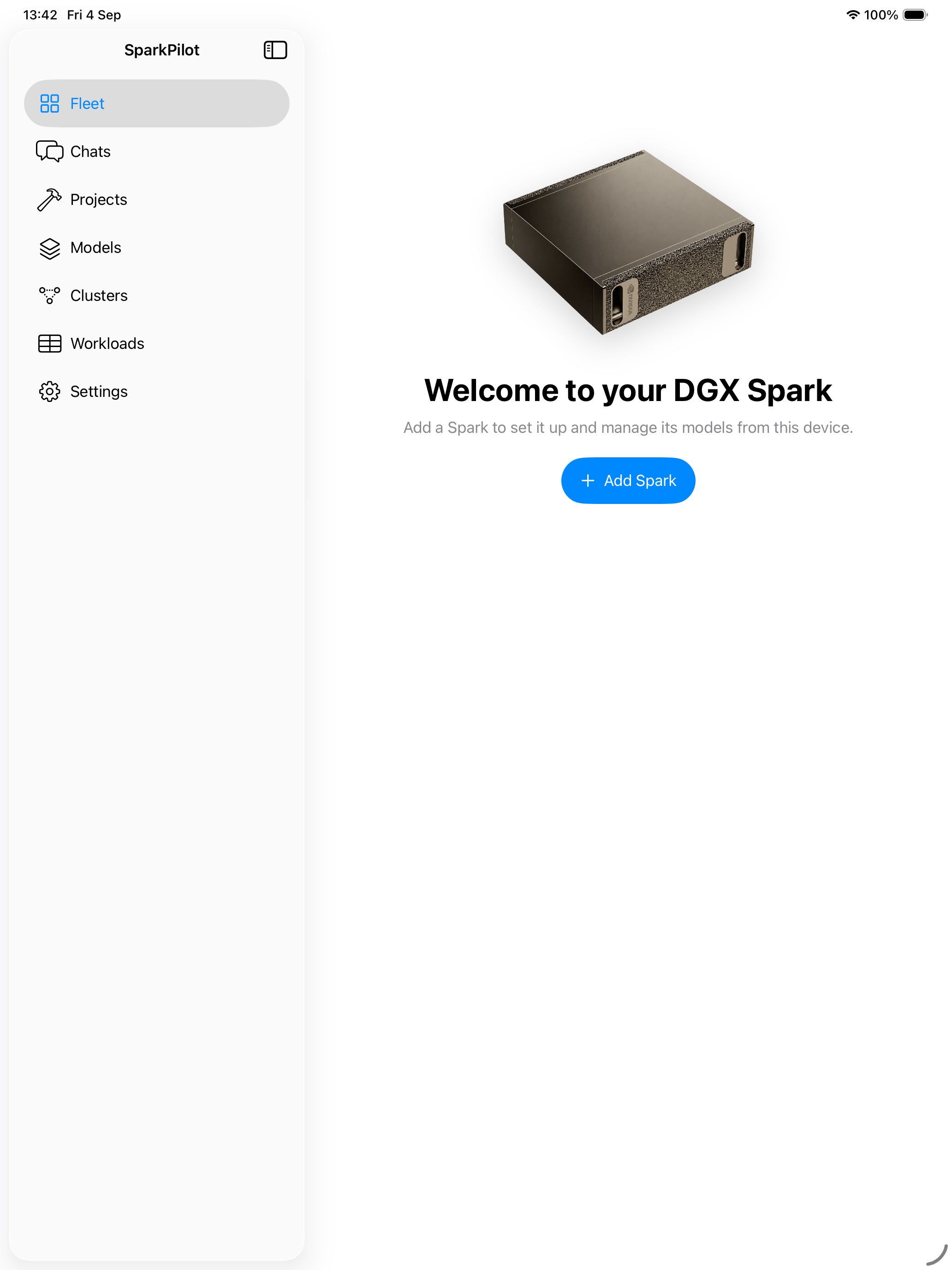
Speak to your Spark and hear its replies. Continue a conversation or give voice instructions to an existing Oh My Pi or OpenCode session on your Spark.
CarPlay is implemented in the development code, not released yet. Apple's CarPlay entitlement approval and real-car testing are still pending.
Requires a reachable Spark and configured voice services. Coding sessions need Engineering Mode, project access and a session already running on the Spark. Set up and review your work on iPhone before driving; the car interface uses voice, not a code editor.
We're adding watchOS support to bring SparkPilot to Apple Watch.
Watch features and release timing are not confirmed yet; watchOS is not part of the current beta.
Feature highlights
A few reasons to put your Spark to work, with the full list and requirements below.
Ask out loud and hear it answer, with your model and Kokoro voice service running on the Spark.
Explore voice chatOpen a Spark-hosted coding workspace on iPhone, iPad or Mac with Engineering Mode enabled.
Explore coding workspacesSchedule a brief, a question or a recurring task on your Spark, then come back to the result.
Explore automationsLet friends and family use the models you choose, with access hours and limits you control.
Explore sharingDraft, summarise and rewrite with your Spark, then use the result in Apple workflows you approve.
Explore Apple workflowsReach your paired Spark through a configured Tailscale connection, with remote access turned on.
See connection requirementsThe full list
Open a category for the details and what you need.
Search saved chat titles and messages, rename a conversation and pick up where you left off. Chats stay on that Apple device; they are not synced between devices or included in device backups.
Plain style asks for direct replies and removes em dashes and filler openings. It is on by default in the newer development build, with a device-wide setting and a per-conversation override. It changes the writing style, not the accuracy of the answer.
Use the Apple share sheet to bring supported text, links, photos and documents into SparkPilot. Review the draft and choose your Spark before sending. A shared link is not an automatic web-page fetch; file and model limits still apply.
The newer development build draws supported line, bar, area, pie, donut and scatter charts in your conversation. Open a chart full screen, copy it or share it as an image. Compatible answer tables can also become charts; results depend on the model and supported data format.
In the newer development build, choose to include calendar events and reminders in a single message or share them for that conversation. The app asks for permission and reads fresh context on your Apple device before sending it to your Spark. Personal context is excluded from web-tool requests.
The newer development build can use web sources when the owner allows internet access and you enable it for the conversation. Search terms and requested page addresses leave the Spark, and answers can include source links. Web access is optional and separate from local inference and telemetry.
Choose a paired Spark and a loaded model, then ask questions in the app. Replies arrive as the model generates them, and you can return to saved conversations on that device.
Speak to your Spark and hear it answer. Speech recognition runs on your Apple device, your model answers on the Spark, and Kokoro on the Spark creates the spoken reply. Requires microphone permission, supported on-device English recognition and Kokoro setup.
Speak to your Spark and hear its replies. Continue a conversation or give voice instructions to an existing Oh My Pi or OpenCode session on your Spark. CarPlay is implemented in the development code, not released yet. Apple's CarPlay entitlement approval and real-car testing are still pending. Requires a reachable Spark and configured voice services. Coding sessions need Engineering Mode, project access and a session already running on the Spark. Set up and review your work on iPhone before driving; the car interface uses voice, not a code editor.
Dictate a message instead of typing, then review it before sending. Recognition stays on your Apple device and requires its microphone and speech permissions.
Listen to a written reply, choose a voice and preview how it sounds. Kokoro generates the audio on your Spark; your iPhone, iPad or Mac plays it.
Ask about a PDF, Word document, text file or photo in chat. Photos need a vision-capable model; document, file-size and context limits apply.
Get the short version of a document, rewrite a message or draft an email. The model on your Spark works with the text you provide.
Enable Engineering Mode in the newer development build to open Spark-hosted coding workspaces from iPhone, iPad or Mac. Choose a folder, agent and supported model. Oh My Pi, OpenCode, Pi and Codex have Spark-model routes; the separate Claude Code option uses your Anthropic account and cloud models. Requires a compatible runtime, project permissions and tool setup; third-party tools may access the internet.
Browse and edit supported project files alongside a terminal in the newer development workspace. Files live on the selected Spark, not in website storage. Available actions depend on your project permissions; coding agents and terminal commands can change those files.
The newer development build saves workspace tabs and can reconnect to a surviving terminal session. On larger screens, view workspaces side by side. Files stay on the Spark if a session ends; a stopped process may need restarting, and reconnecting requires the Spark to be reachable.
The newer owner-focused development build can open a confirmed automation result and continue it in a conversation. Review the run state and recorded web requests before asking a follow-up. The app must reach the Spark to check the result; notifications depend on system availability.
Opt in to Apple Spotlight indexing for your saved Sparks and verified models. Open the matching item from system search. Indexing is off by default and is controlled from SparkPilot settings.
The newer development build can run recurring instructions on a model using the Spark's own scheduler, without keeping your phone awake. Set a daily, weekly or custom schedule, review run history and pause or remove tasks. The Spark must be on and able to run the model; web access and notifications have separate requirements.
Install Hermes Agent on your Mac, choose your Spark and a compatible model, then launch Hermes from SparkPilot. The app starts the agent and sets up its API connection. Keep SparkPilot open while you work.
The Mac build also includes launchers for Claude Code, Codex App, OpenClaw and OpenCode. Install the tool first, then let SparkPilot configure its connection to your selected Spark model. Compatibility depends on the tool and model, and each tool has its own permissions and privacy settings.
Connect tools such as Oh My Pi through an authenticated local endpoint on your Mac. SparkPilot routes requests to your Spark and must stay open. Other tools need their own provider setup; support depends on the tool, model and API features it uses.
Available in the current development build. Use your Spark to draft emails, summarise documents or rewrite text in Apple workflows on iPhone and iPad, then use the result in supported app actions with the permissions you choose.
Use Siri and Shortcuts to ask your Spark a question, summarise or rewrite text, analyse a supported file, check status, or load and unload a model.
Ask your Spark to prepare a reply, reminder or calendar event from text you share. Review each draft before carrying it out on your Apple device; preparing it does not send a message or change your calendar.
Reach your paired Spark through your existing Tailscale network when you are away. Install and sign in to Tailscale on both devices first, then check and enable the private route in SparkPilot. Remote access is optional and off unless you turn it on.
See your paired Sparks together, switch between them and check what each is running. Compare models, available memory and health without juggling separate dashboards.
Pair two Sparks as an owner, choose a coordinator and use the guided ConnectX setup and link checks. This requires compatible runtimes and a physical ConnectX connection, not Tailscale. Running one model across both Sparks is still disabled pending hardware qualification.
Review an externally configured cluster and group its independently paired Sparks after signed topology checks. Removing the grouping changes this Apple device only, not the services running on your Sparks.
Join or forget Wi-Fi networks, inspect wired connections and configure Ethernet from the app. Network changes have a connection check and rollback timer so you can confirm the new route before keeping it.
Use your Spark as a local Wi-Fi hotspot when a shared network is not available. Connect your Apple device directly; a local connection does not provide internet for downloads or updates.
Browse model catalogues across your paired Sparks. See where a model is installed, where it can run and which target to use, without copying the model to every machine.
Choose a target to download a supported model, start it, stop it or recover from a failed operation. Follow progress in the app and check the model requirements before starting.
See running models and services across your paired targets, with their reported state and health. Open the Spark that needs attention from the same view.
Prefer chatting in a browser? Install and manage Open WebUI on your Spark using a signed installation recipe.
Install, enable, update or disable Kokoro from SparkPilot. Choose and preview the voices available on your Spark; disabling the service can keep its downloaded voices for later.
Check reported GPU load, temperature, unified memory, power and inference status. The app marks unavailable or old readings instead of presenting them as current.
Review processor, accelerator and active-request trends reported by the runtime. Charts identify derived estimates and saved readings, so you know what the numbers represent.
Add an overview or memory widget for a Spark or group of Sparks. See connection and model status alongside the latest saved reading and its timestamp.
Enable notifications for completed operations and health conditions that need attention. Checks run while the app is open, when you return and when Apple allows background time; background alerts are not guaranteed.
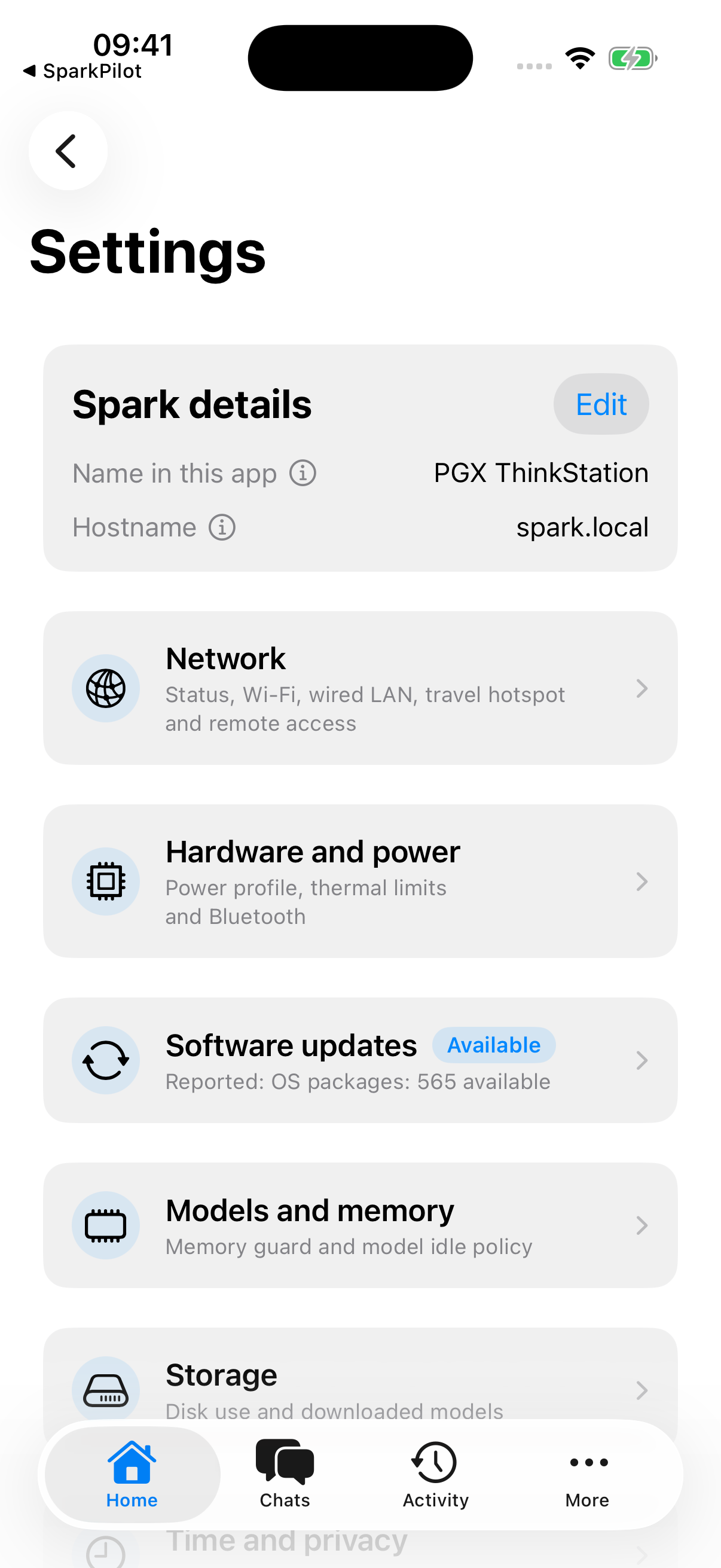
Adjust memory guard settings and decide whether an idle model stays loaded or unloads to free up memory.
In the newer development build, invite a friend, family member or colleague and confirm their device. Their guest view identifies the Spark as shared with them and lists only the models you allow. You choose access hours, expiry and a daily token allowance, and can review usage or revoke access. Device settings stay with you. Guests can connect on the same network; remote guests need a separate working Tailscale connection.
Choose from the power profiles your Spark supports and check its reported temperature and power draw. A cooler profile can help with sustained heat and fan noise.
Control the Spark's Bluetooth radio, scan for nearby devices and explicitly approve pairing or removal when the hardware supports it.
Check for Spark Runtime and system updates, then follow the installation in the app.
See what is taking up disk space and choose downloaded models or other supported storage categories to clean up, with confirmation before removal.
See which Apple devices can access your Spark, review their roles and revoke access when needed. Sensitive changes require owner or administrator authority and confirmation.
Lock SparkPilot and use the authentication available on your Apple device to unlock it. Sensitive operations also ask you to confirm your presence.
Restart or shut down your Spark from the app after confirmation. After shutdown, you will need to press the Spark's physical power button to turn it back on.
Review the diagnostic categories, choose any optional details and export a readable support file to your Apple device. Nothing is uploaded automatically; you decide whether to share it.
These features are documented across current development branches, not a final beta checklist. Some need extra software, permissions or compatible hardware and models; check the TestFlight release notes for what is included. Pooled inference across two Sparks remains disabled pending hardware qualification.
Apple workflows
Draft an email, summarise a document, or rewrite a message on your iPhone or iPad, with your Spark doing the thinking. Use the result in Siri and Shortcuts workflows to run supported app actions, with permissions you choose.
Foundation Model Intents are available today in the app. You review supported actions before carrying them out.
For DGX Spark owners
NVIDIA's guides are a good place to start. SparkPilot is our independent effort to make everyday use easier from an Apple device.
Project ideas and instructions for getting them running on your Spark.
From NVIDIASync connects desktop tools over SSH and launches apps. SparkPilot gives you native chat and controls on your Apple devices.
SparkPilot has no NVIDIA affiliation, sponsorship, or endorsement.
Built for people who build
Hermes on your Mac. Inference on your Spark. SparkPilot handles the authenticated connection between them.
Follow the Hermes setup guideDevelopment integration, not an NVIDIA-endorsed product or a guarantee of compatibility with every model.
An end-to-end Hermes recording and measured results are not published yet; our existing chat recording is not a Hermes benchmark.
Why we're building SparkPilot
A DGX Spark is an amazing computer. You shouldn't need to be comfortable with a terminal to get something useful out of it.
We want anyone to pick up their phone, ask a question, and get an answer from the machine they own. That's the whole point of SparkPilot.
Tell us what you'd like to do with yoursBefore you get started
Speak to your Spark and hear its replies. Continue a conversation or give voice instructions to an existing Oh My Pi or OpenCode session on your Spark. CarPlay is implemented in the development code, not released yet. Apple's CarPlay entitlement approval and real-car testing are still pending. Requires a reachable Spark and configured voice services. Coding sessions need Engineering Mode, project access and a session already running on the Spark. Set up and review your work on iPhone before driving; the car interface uses voice, not a code editor.
We're adding watchOS support to bring SparkPilot to Apple Watch. Watch features and release timing are not confirmed yet; watchOS is not part of the current beta.
Newer development work includes Spark-hosted coding workspaces with Engineering Mode, reconnectable terminal sessions, searchable chat history, plain-style replies, share-sheet imports, Spotlight and follow-up chats from automation results. These join automations, guest sharing, calendar context, charts and optional web answers. These are findings from development branches, not a confirmed TestFlight release checklist; check the TestFlight release notes for what is included.
The newer development workspace supports this through Engineering Mode. Your project files and coding-agent process live on the Spark while SparkPilot provides the interface on your Apple device. Oh My Pi, OpenCode, Pi and Codex have routes to a supported Spark model. The separate Claude Code option uses your Anthropic account and cloud models, so it is not local inference. A compatible runtime, project permissions and tool setup are required; this is not yet a verified TestFlight feature.
No. Regular chat history is saved on the Apple device where you used it, not synced or included in device backups. Project files in a development workspace are different: they live on the Spark and can be reopened from an authorised device with access to that project.
No. They are interactive explanations with clearly labelled fictional examples, not app screenshots, live AI or benchmarks. They do not record audio, connect to a Spark or save your choices. The separate app preview uses simulator screenshots, and the existing text-chat video is labelled as a real simulator recording.
Yes, through guest sharing in the newer development build. Invite a friend, family member or colleague and choose which models they can use. Their guest view identifies the Spark as shared with them and lists only those models, not your full library. You confirm their device and control their schedule, daily allowance and expiry; they cannot administer the Spark. Both people need compatible SparkPilot builds and a connection to the Spark, on the same network or remotely through a separately configured Tailscale connection. Sharing does not transfer ownership.
Yes. Read the public development updates on this page or follow the RSS feed at https://sparkpilot.dev/updates.xml. You can join through our public TestFlight link without submitting an email address on this website.
SparkPilot is an independent, free app for managing an NVIDIA DGX Spark from an iPhone, iPad, or Mac. It brings guided setup, model management, text and voice chat, optional Tailscale access, cluster setup, Apple Foundation Model Intents, Siri and Shortcuts, hardware controls, and Home Screen widgets into a native Apple app. On Mac, launch Hermes Agent from SparkPilot or connect other coding tools through an authenticated OpenAI-compatible endpoint to the model on your Spark. SparkPilot is in beta, with a public TestFlight join link on this website.
Yes. No subscription, paid tier, or ads, ever. You need access to a DGX Spark, either your own or one shared with you through a compatible build, but the app won't cost you anything.
Your AI runs on your Spark, and no telemetry leaves the app or your Spark. We don't receive it or send it to third-party analytics. You can use SparkPilot over your local network with remote access switched off. Model downloads, software updates and explicitly enabled web answers or web-reading automations use the internet. Apple separately collects TestFlight beta crash and usage data and shares it with developers.
Join SparkPilot through TestFlight. Open the link on your Apple device and follow Apple's instructions. No email request needed. TestFlight shows the available builds and device requirements. Join at https://testflight.apple.com/join/qpW2Swh2. Beta places and compatible builds are subject to availability.
Join SparkPilot through TestFlight. Open the link on your Apple device and follow Apple's instructions. Beta places and compatible builds are subject to availability. No email request needed. TestFlight shows the available builds and device requirements. Beta places are limited.
We'll only use your email address to send your SparkPilot TestFlight invitation. We'll never send you junk or marketing emails, sell your address, or share it for any other purpose. Cloudflare and our email provider process your request so it reaches us, and Apple processes your address to deliver the TestFlight invitation. Your request is stored on Cloudflare for up to 30 days to prevent duplicate submissions, and a copy stays in our inbox until deleted. Email hello@sparkpilot.dev to ask us to delete your request.
TestFlight is Apple's free app for trying beta versions before release. Install TestFlight on the Apple device you want to use, open our public join link, and follow Apple's instructions. Beta builds may contain bugs. Apple collects beta crash and usage data through TestFlight and shares it with developers, separately from SparkPilot's local Spark telemetry.
SparkPilot is coming to iOS, iPadOS, and macOS. You'll need an NVIDIA DGX Spark with Spark Runtime installed. We're currently building for iOS 26, iPadOS 26, and macOS 26; these requirements may change before release.
You shouldn't have to be. That's why we're building SparkPilot. The app walks you through setup, then gives you a place to chat and manage your Spark without learning terminal commands.
We're aiming for 10 minutes from unboxing to your first chat. We haven't benchmarked that yet. Updates, your connection speed, and the size of the model download can all add time.
Yes, the Mac development build includes an authenticated OpenAI-compatible endpoint for supported coding tools and agent harnesses. Tools such as Oh My Pi support configuring an OpenAI-compatible provider. It forwards requests to the model running on your paired Spark. The endpoint is local to your Mac, and SparkPilot must stay open while a tool uses it. Setup and compatibility depend on the tool and model; this is not a promise of one-click setup or support for every OpenAI API feature.
In the Mac development build, install Hermes Agent, choose your paired Spark and a compatible model, then launch Hermes from SparkPilot. The app starts Hermes and configures its authenticated local API connection, routing inference requests to your Spark. Keep SparkPilot open while Hermes runs.
Yes. Apple Foundation Model Intents are available in the current SparkPilot development build, letting you use AI from your Spark in Apple workflows. Ask your Spark to draft an email, summarise a document, or rewrite text from your iPhone or iPad, then use the result in a Shortcut with supported app actions. You choose the workflow and grant any permissions it needs; SparkPilot does not take unrestricted control of your device or send emails on its own. SparkPilot also includes App Intents for Siri and Shortcuts to check status and load or unload a model.
Yes. The development build can use an existing Tailscale connection to your paired Spark. Install Tailscale, sign in and approve both your Spark and Apple device on the same network, then check and enable the private route in SparkPilot. The app does not create your Tailscale account or enrol devices for you. Remote access is optional and off unless you enable it.
Yes. The development build has voice conversations, dictation and read-aloud replies. English speech recognition runs on your Apple device and needs supported on-device recognition plus microphone and speech permissions. Your model runs on the Spark, and Kokoro on the Spark creates the spoken audio. Install and enable Kokoro through the app for spoken replies.
The development build can manage several paired Sparks, review existing cluster groups and guide two-Spark ConnectX setup with compatible runtimes and a physical link. Tailscale provides remote access; it does not replace the ConnectX link between cluster members. Running a single model across both Sparks is still disabled pending hardware qualification, so pooled inference is not available in the current build.
The feature directory describes the current development build, including chat and voice, models, Tailscale remote access, cluster setup, Mac agent launchers, Apple workflows, widgets and device controls. Some features require extra software, permissions or compatible models and hardware. Check the TestFlight release notes for what is included; features and requirements may change, and beta builds may contain bugs.
The Home Screen widgets show memory use, connection, and model status for a Spark or group of Sparks. You can choose an overview or memory widget. Each widget shows the latest reading saved by the app, with a timestamp. Widgets are shown from the development build.
No. We've made real simulator screenshots clickable so you can look around. The demo doesn't connect to hardware or run a model.
No. We're an independent project for DGX Spark owners, with no NVIDIA affiliation, endorsement, or sponsorship.
From the workbench
Our public TestFlight link is here. Open it on your Apple device to see available builds and join the beta. Found a bug or have an idea? Use the new website feedback form to review a report and email it to feedback@sparkpilot.dev.
Take a lookThe development code now includes voice conversations through CarPlay and voice instructions for an existing Oh My Pi or OpenCode session on your Spark. Apple entitlement approval and real-car testing are still pending. We are also adding watchOS support; Watch features and release timing are not confirmed.
Take a lookThank you for the overwhelming response. We now have enough testers for this beta and have closed new requests. Existing requests are unchanged. We are still awaiting Apple approval before sending TestFlight invitations.
Take a lookWe reopened requests on 6 September and received enough interest to close this round later that day. Existing applicants do not need to apply again.
Take a lookNewer development work adds Engineering Mode with Spark-hosted coding workspaces, project files and reconnectable terminals. We have also documented searchable chat history, plain-style replies, share-sheet imports, Spotlight and follow-up chats from automation results. These are development-branch findings, not a confirmed TestFlight release list.
Take a lookThe newer development build adds scheduled automations, controlled guest sharing, calendar and reminders in chat, shareable charts and optional web answers. These are development features, not confirmation of what will ship in TestFlight.
Take a lookThe response to our first round was overwhelming. We paused new requests on 5 September and reopened them on 6 September. We are awaiting Apple's TestFlight approval and plan to send invitations early in the week of 7 September, subject to approval.
Take a lookHome Screen widgets show the latest saved memory, connection and model status for a Spark or group of Sparks, with a timestamp for the reading.
Take a lookPublic updates, no mailing list or tracking pixels; beta invitations are still the only reason we use your signup email.
Try SparkPilot
Thank you for the overwhelming response. You can now join through our public TestFlight link.
Join SparkPilot through TestFlight. Open the link on your Apple device and follow Apple's instructions.
Join the betaHelp us improve SparkPilot
Tell us what happened or what you wish SparkPilot could do, just like the feedback option in the app.
You review the report, then send it from your email app to feedback@sparkpilot.dev.
No diagnostics or telemetry are attached by this form. Your draft stays on this page until you open your email app or copy it, and is cleared when you leave or reload. We use feedback emails to respond to your report, never for marketing.